Looking for IT Support In Wichita? Call Us Now! (316) 788-1372

AI should make work easier. When it creates more confusion, more rework, or more uncertainty—it’s usually not the tool. It’s how the tool is being used.
Right now, most businesses aren’t asking if they should use AI. That question has already been answered. The real question is how to use it in a way that actually helps without introducing unnecessary risk. The good news is that getting value from AI doesn’t require advanced tools or perfect prompts. In many cases, the most effective uses are also the simplest and safest. Starting small is an advantage.
Here are three practical ways to begin.
Blank pages slow people down.
Whether it’s an internal update, a process document, or a follow-up email, getting started often takes longer than refining. AI helps remove that initial friction by turning rough ideas into something structured. For many teams, this becomes one of the easiest entry points.
Examples might include:
Used this way, AI is accelerating the first step. Reviews still matter. The context still matters. Final decisions still belong to your team. What changes is how quickly you get to a usable draft.
Over time, that adds up to meaningful time savings without increasing risk.
Getting unstuck is often more valuable than getting a perfect answer.
AI works well as a starting point for ideas, especially when a team is staring at a problem and not sure where to begin. It can generate options quickly, which helps move conversations forward. The goal isn’t to accept the output as-is. The goal is to react to it.
In practice, this can look like:
Once ideas are on the table, your team can evaluate, refine, and decide what actually makes sense.
Information overload is a common challenge. Long meeting notes, internal discussions, and general documentation can take time to sort through. Important details get buried, and action items aren’t always clear. AI can help simplify that.
By condensing information into key points, summaries, or structured outlines, your team can focus on what matters most. Informed decisions and follow-ups become clearer.
Common use cases include:
As long as the information isn’t sensitive, this is one of the lowest-risk ways to improve efficiency across the board.
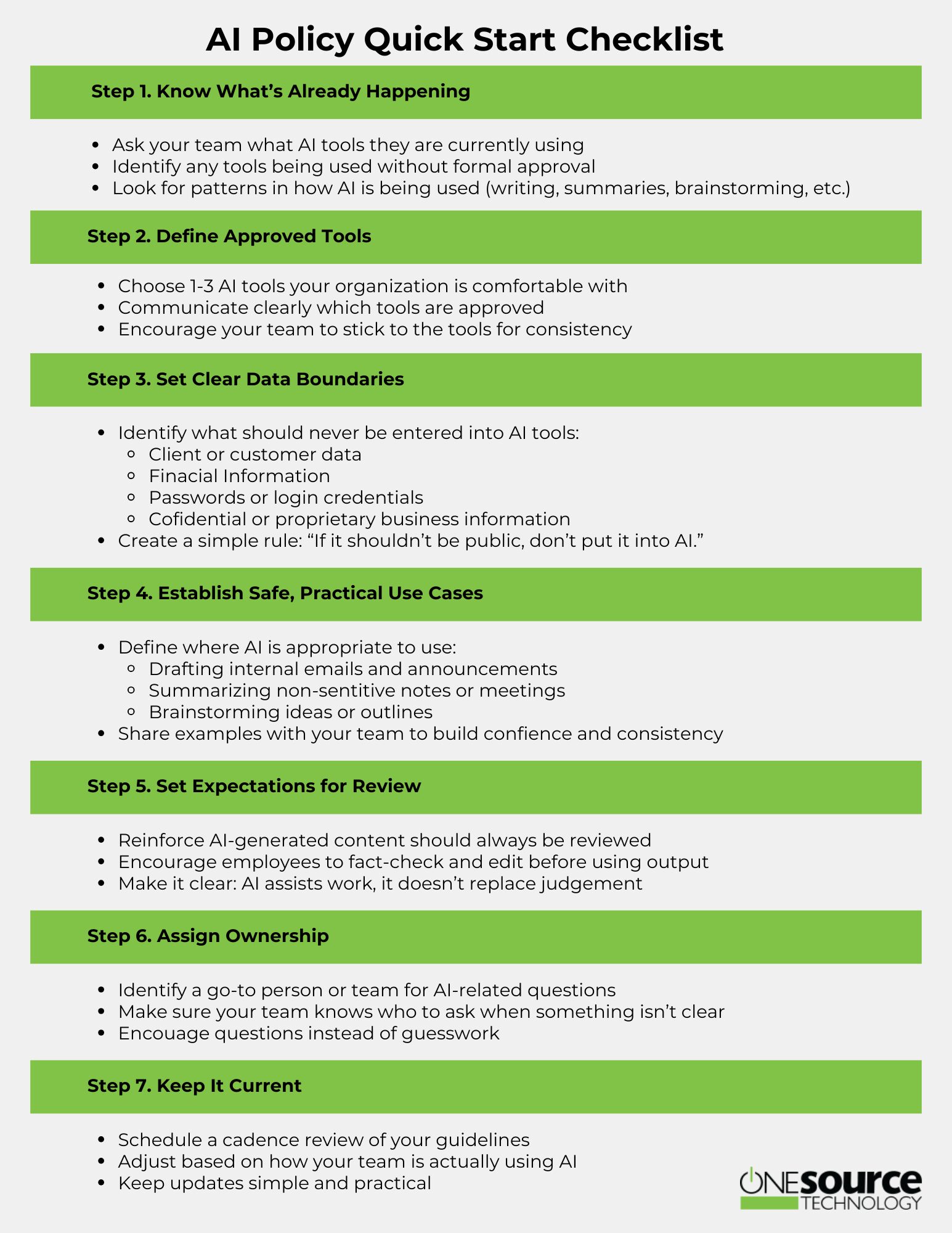
Even with safe use cases, boundaries are essential. Without them, it becomes easy for small, harmless tasks to gradually turn into higher-risk behavior.
A few things should stay out of AI tools entirely:
A simple guideline works well here: if sharing the information publicly would create a problem, it shouldn’t be entered into AI. Clarity at this level removes the need for constant second-guessing.
Trying to do too much too quickly is where many teams run into trouble. Adopting AI across every workflow all at once can create confusion, inconsistency, and unnecessary risk. A more effective approach is to start with a few clear use cases and build from there. Consistency matters more than speed.
When your team understands where AI fits, confidence grows naturally. Usage becomes more intentional and results become more reliable. From there, expanding into more advanced applications becomes much easier. You don’t need to unlock everything at once.


Fill in your information below and we will email you our complete guide to business IT security.